From “I have…” to “Dinner’s ready”.
Between the two lies a short journey: MYZADAK understands what you have, writes your recipe and stays with you to the table.
Arabic-first, from the interface to the recipeBy typing or by voiceSeveral suggestions for every request
عندي جاج ورز وشوية بندورة…
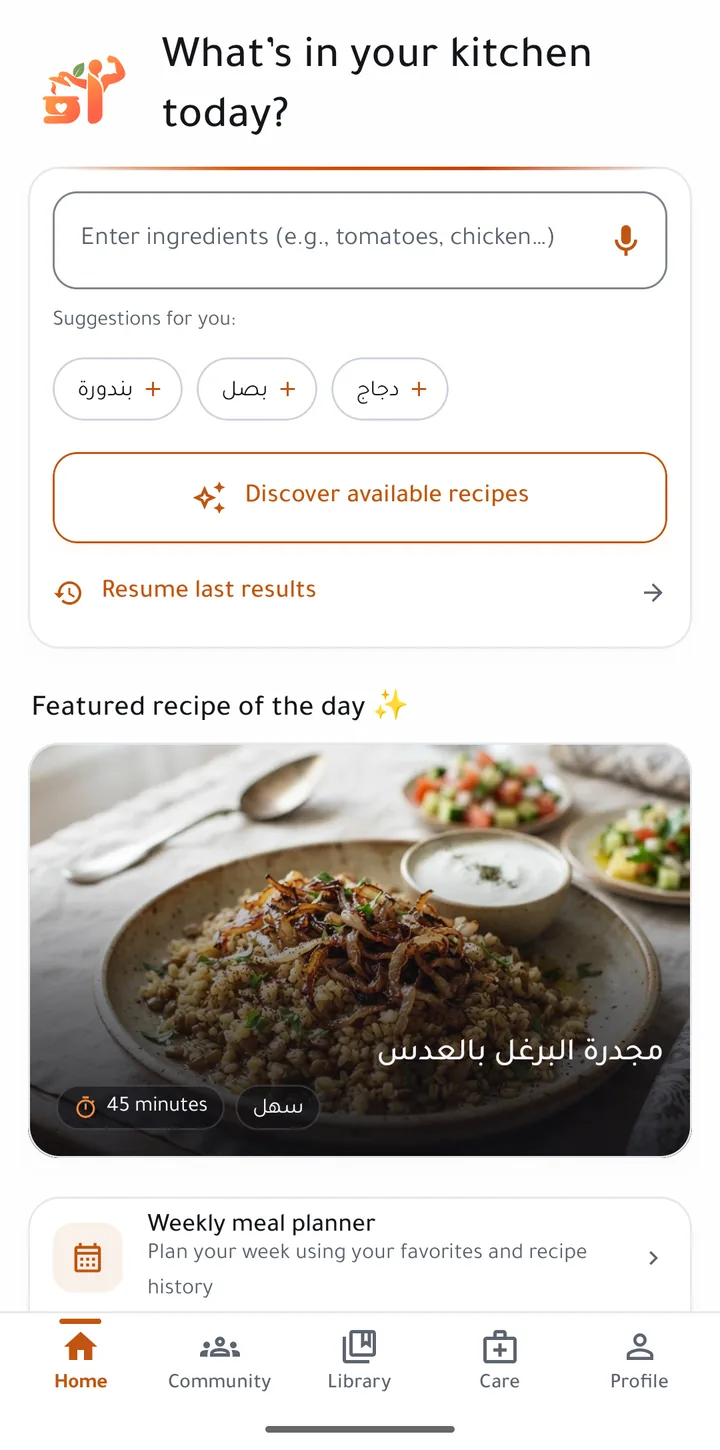
An illustration of the idea. The screen in the phone is a real screenshot from the app.
From "I have…" to the table.
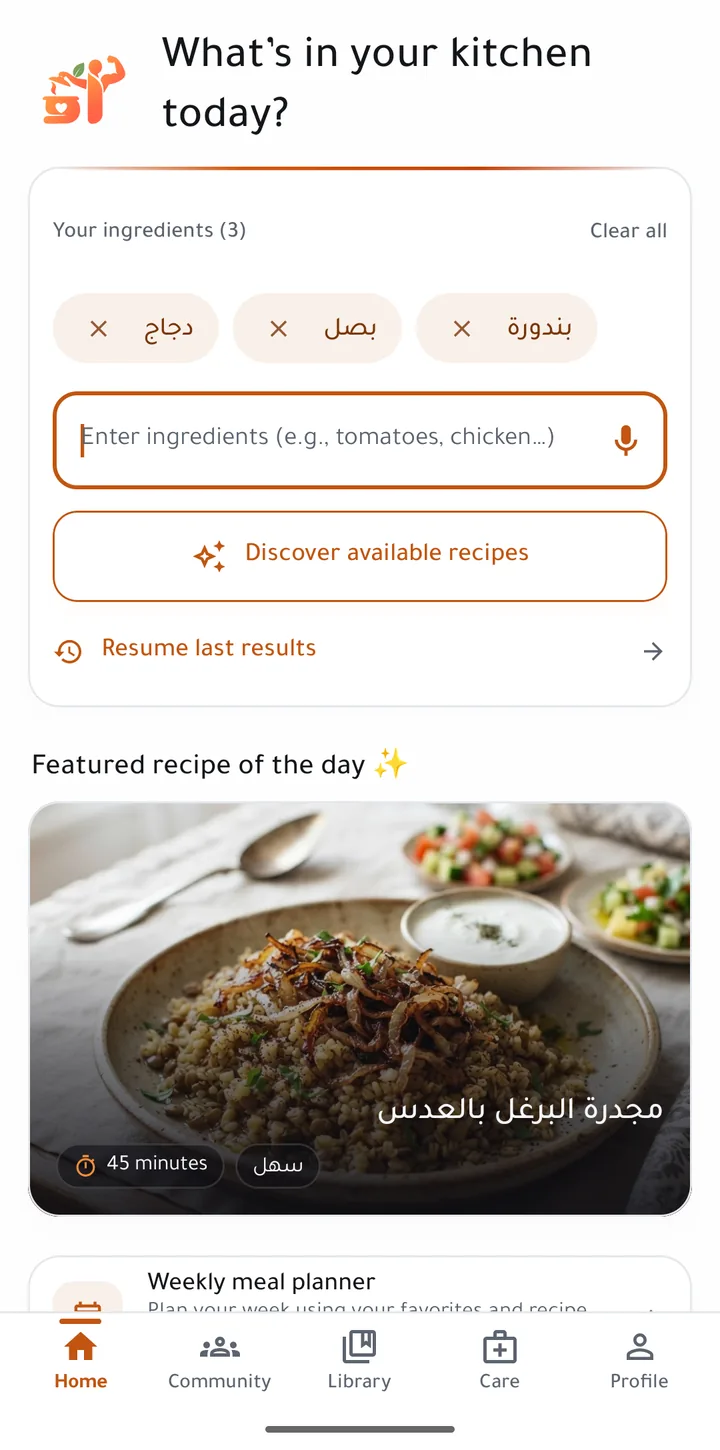
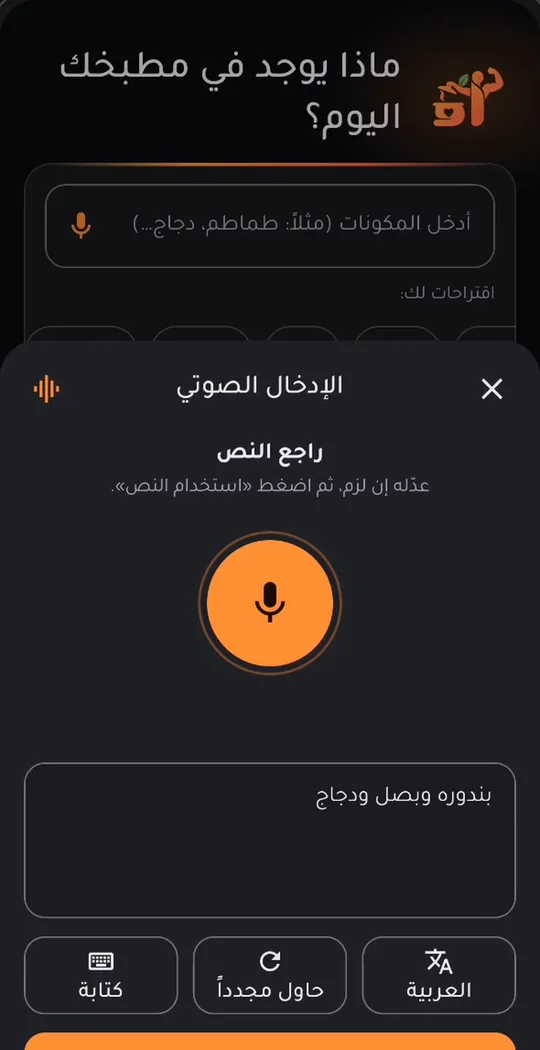 1 · Tell MYZADAK what you have
Type or speak.
Type your ingredients or the dish you want, or say them, then review the text before using it.
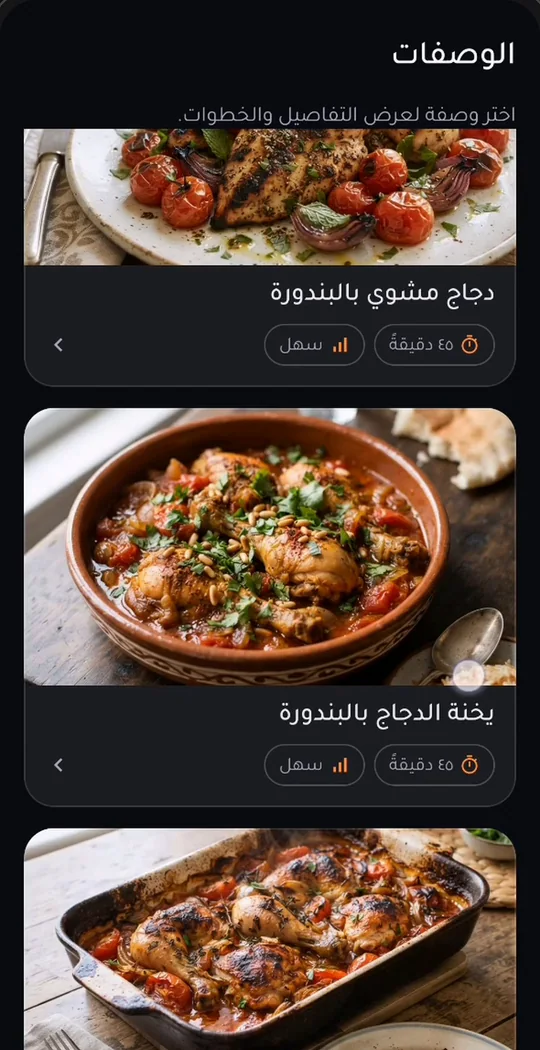 2 · Choose the right recipe
Several suggestions, and the choice is yours.
Recipes that suit your ingredients and your time, with preparation time and difficulty for each.
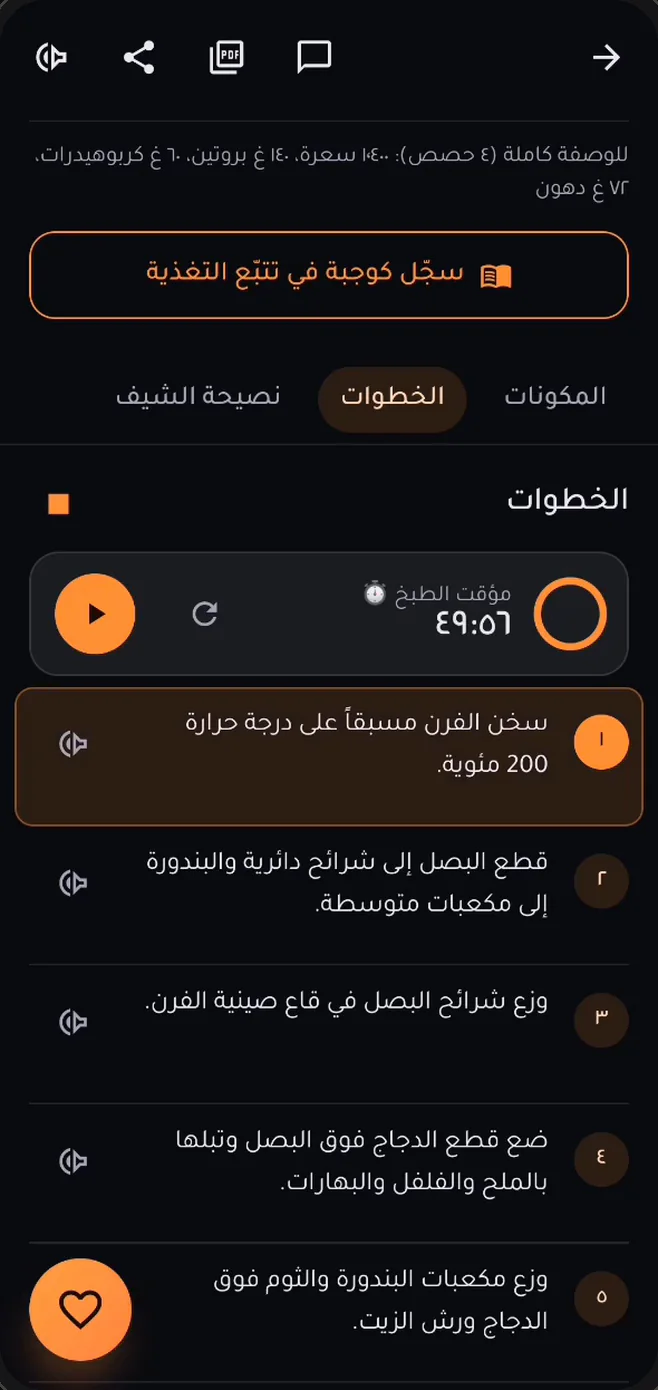 3 · Cook step by step
Clear steps and a timer.
Numbered steps in Arabic, a timer at every step that needs waiting, and you can listen to them.


The demos on this page are optional. Each chapter explains the step in text first. The interactive demos are pre-written examples: they are not the app itself, they do not use the microphone and they play no sound.
Reset the demosFour moments, one app.
Try each moment here. What you choose in the first carries over to the next.
A demo on the websiteNot the app’s interface. Pre-written examples that use neither AI nor the microphone.
Say it the way you say it at home.
Type your ingredients as they come to mind, or say them. No long lists and no complicated settings.
- For how many are you cooking today
- How much time do you have
- Your dietary preferences
- What you avoid for allergies or other reasons
Press to see an example
A simulation that does not use the microphone.
3 suggestions ready
Show the suggestionsMore than one dish, and the choice is yours.
MYZADAK writes several recipes around what you entered. Before you start, you see how long each takes, what you already have for it and what you’re missing.
- Time and difficulty before you decide
- Quantities for the number of people
- Suggested substitutes for what you’re missing
What do you see in each recipe?
One step, then the next.
Numbered, clear steps in Arabic. A timer for steps that involve waiting, and you can listen to a step instead of reading it while your hands are busy.
- Numbered steps in simple language
- A timer for steps that involve waiting
- Listen to the step
What you liked stays with you.
Save the recipes you loved and return to what you cooked before. You won’t start from scratch next time.
Cooking is where MYZADAK starts, not where it ends.
The same app has six more sections that fit into your day.
It doesn’t search for a recipe. It writes one for you.
MYZADAK does not pick from a list of ready-made recipes. It writes a new recipe every time, around what you entered.
What you tell it
The ingredients you have Number of people Time available Your preferences and what you avoid MYZADAK writes the recipe
What it gives back
Several recipes to choose from Quantities and steps Suggested substitutes for what’s missing Estimated nutrition valuesRecipes are written by AI and can be wrong. Quantities and cooking times are suggestions, and nutrition values are estimates. Check them yourself, especially if there is an allergy or a dietary, health or religious restriction. Safety & Disclaimers
MYZADAK, in a few lines.
- Input
- By typing or by voice
- Language
- Arabic, from the interface to the recipe
- Recipes
- Several suggestions written around your ingredients
- Personalization
- Number of people, time available, dietary preferences, allergies
- What’s missing
- Suggested substitutes for ingredients you don’t have
- While cooking
- Numbered steps, a timer, and listening to the steps
- Nutrition
- Estimated calories, protein, carbohydrates and fat for every recipe
- Library
- Favorite recipes and cooking history
Before you try it.
All questions are in the FAQ, and the guides are in Help & Support.
Can I enter ingredients by voice?
Yes. Type your ingredients or say them, whichever suits you.
Does it suggest only one recipe?
MYZADAK suggests several recipes around what you entered, so you can choose what suits your time and taste.
Does it take allergies and dietary preferences into account?
It takes them into account when writing the recipe. Even so, always check the ingredients yourself: recipes are written by AI and can be wrong.
How are the nutrition values calculated?
They are estimated with each recipe and vary with the ingredients, portion size, preparation method and any substitute. They are a guide, not a laboratory analysis and not medical advice.
Can I return to a recipe I cooked before?
Yes. Your favorite recipes and your cooking history stay inside the app.
The first dish starts with two words: “I have…”
MYZADAK is coming soon to Google Play, so you can start from your kitchen.